
Assistive Technology Service
Discover technology, tools and training to make your life easier.
What is the Assistive Technology service for people with low vision or blindness.
Assistive Technology includes tools, devices and software designed to make everyday life easier for people with low vision or blindness. Guide Dogs NSW/ACT’s Assistive Technology Service supports Clients to access everyday information from the world around them by using Assistive Technology for daily living activities when they are no longer able to use or rely on their vision.
Our Assistive Technology Specialists work with Clients to use non-visual means, such as hearing and touch, to continue accessing print, digital and multimedia information that may be used for social connection, work, leisureor education.
Guide Dogs can also support your everyday tasks by helping you find the right device to suit your needs, offering training, and providing ongoing support via our Assistive Technology Help Desk.
How can Guide Dogs NSW/ACT help me learn Assistive Technology for daily living activities?
There are many tools, devices and types of Assistive Technology for home and work that can help you access information, keep in touch with friends, and still enjoy your favourite leisure activities. Did you know mainstream phones, tablets and computers can be used by anyone, even if you have no remaining vision? Your Guide Dogs Assistive Technology Specialist can support you to use a range of devices and low vision aids.
Some useful skills you can learn include:
- Using screen reader software on your phone, tablet or computer, such as the JAWS screen reader. Accessing other in-built non-visual accessible technology features like VoiceOver or TalkBack on phones, tablets and computers.
- Using Optical Character Recognition (OCR) devices, software and solutions to access print materials like product packaging into digital text that can then be read aloud by a screen reader.
- Training in Braille devices including Braille embossers, displays and notetakers.
- Learning how to use AI such as using smart home devices like Amazon’s Alexa and virtual assistances like Apple’s Siri to play music or check the weather.

How can an Assistive Technology Specialist support my goals and independence?
Your Guide Dogs Assistive Technology Specialist will work with you to understand your needs and goals, and provide personalised support. This may include:
- Gathering information about your experience of low vision or blindness.
- Discussing your previous experiences with using Assistive Technology.
- Spending time to help you discover and work towards your goals related to accessing information using technology.
- Providing information about the different types of speech and Braille based Assistive Technologies available, and how they can support you to achieve your goals.
- Connecting you with suppliers to trial assistive technology as required.
- Demonstrating how the in-built accessibility features of many mainstream products can be used to enhance your independence.
- Helping you to identify and learn about funding options that might be available to support you to access equipment or other required services.
- Assisting you to learn how to use your chosen assistive technology to complete your desired activities.
Our Assistive Technology Specialists can provide support over the phone or through video conferencing or at one of our offices. In some situations, extra support may be provided for at-home setup of equipment and software.
Who can access Guide Dogs NSW/ACT’s Assistive Technology Service?
Currently, our Assistive Technology Service is only available to adults with low vision or blindness living in NSW or the ACT.
Children often require Assistive Technology primarily to support access to information in the school environment or related to their schoolwork, and various school-based supports exist to meet these needs.
What is the Guide Dogs Assistive Technology Help Desk?
The Assistive Technology (AT) Help Desk is part of Guide Dogs NSW/ACT’s Assistive Technology Service. It is available to people over the age of 18 with low vision or blindness who live in NSW or the ACT and are Guide Dogs Clients.
The AT Help Desk is facilitated by our Assistive Technology Specialists to provide quick, timely support when you need it.
The AT Help Desk can help you:
- Identify what assistive technology is available to suit your needs, from daily living to keeping in touch with friends and family.
- Troubleshoot basic issues that arise with your device.
- Apply your existing skills to new tasks with short training sessions.
- Connect to other Guide Dogs NSW/ACT services or community supports that can also provide assistance.
Examples of some common questions that are asked on the AT Help Desk are:
- Which computers are compatible with the JAWS screenreader?
- Can I have assistance choosing which mobile phone to get?
- My phone screen is blank but it’s still talking, how do I fix it?
- What kinds of things can I do with the Meta Glasses?
- How do I use VoiceOver to share a photo on my iPad?
- Is there someone that can help me explore talking aids for checking temperature?
The AT Help Desk is open from 9.30 am to 12.30 pm Monday to Friday. To reach us, call 1800 484 333 and select option four.
What funding can I use to access Assistive Technology Services?
Thanks to the generous support of our community, the Assistive Technology Help Desk is available at no cost to Clients. Assistive Technology training programs are funded through NDIS and MAC funding.
We understand that some Clients who need services for low vision or blindness may not be eligible to receive government funding. If you do not have access to external funding, we will endeavour to support you to achieve your daily living goals through funding provided by generous community donations.
.jpg?rect=0,1,8192,5463&w=3200&h=2134&auto=format&q=90)
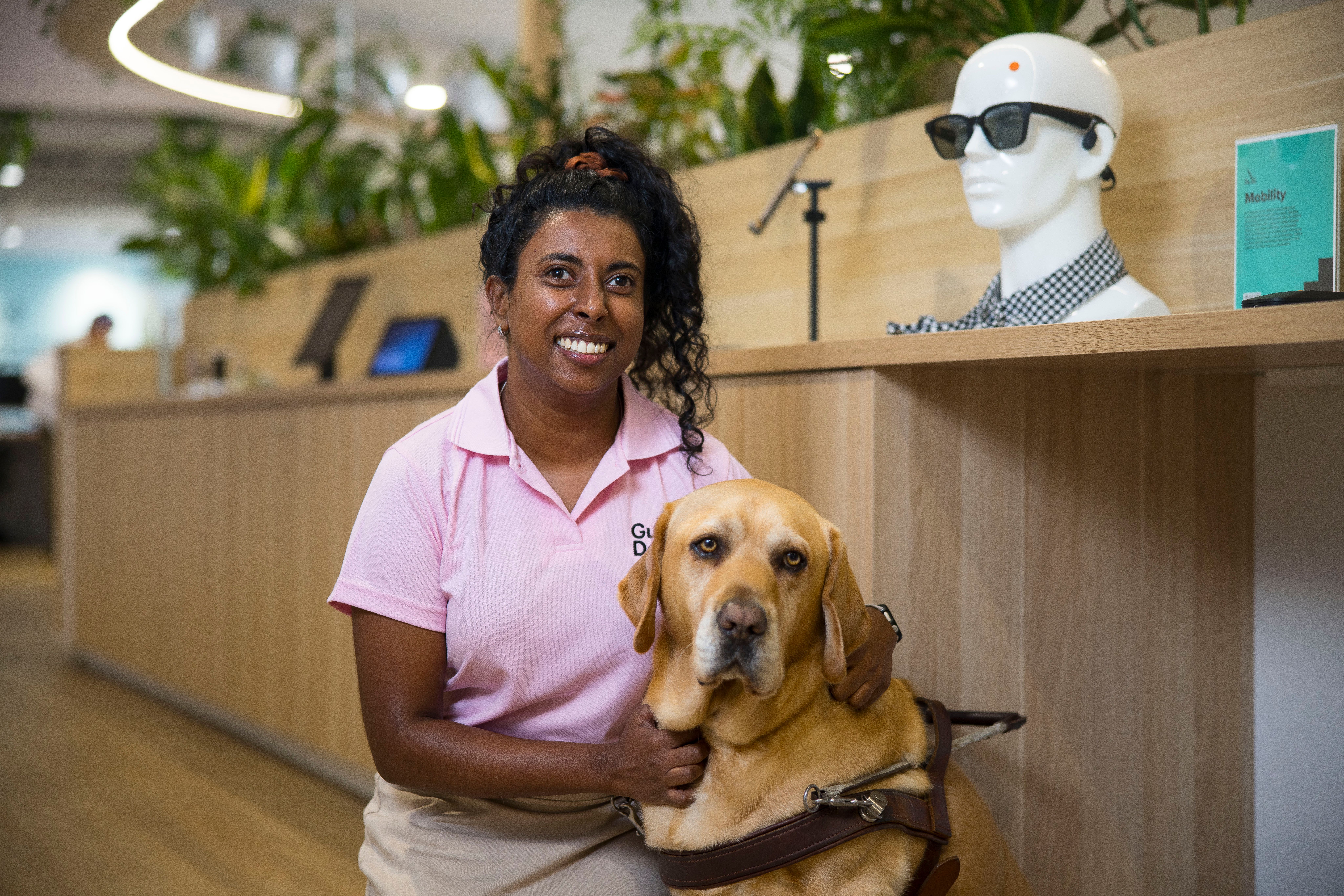
Hear from Guide Dogs Client Stephen about how Assistive Technology Services supported his independence
Stephen lives with autoimmune retinopathy, a condition that gradually led to complete blindness. Before reaching out to Guide Dogs NSW/ACT for support, Stephen lost access to visual hobbies like surfing, reading and watching TV, which impacted his sense of purpose and routine.
Through Assistive Technology training with Guide Dogs, Stephen’s independence has increased, and he’s once again able to reconnect with meaningful activities in his life.
Now Stephen reads by accessing library services and audiobook apps, including BorrowBox and VA Connect. “It takes you away,” he says. “I can’t watch TV, so I just go and listen to my book.”
.jpg?rect=0,1116,5464,5706&fp-x=0.5&fp-y=0.4845448985029469&w=3200&h=2400&fit=crop&crop=focalpoint&auto=format&q=90)

.jpg?rect=438,0,7036,5277&w=3200&h=2400&fit=min&auto=format&q=90)

